Mmos World
Trends in Accessibility Features Making MMORPGs More Inclusive
Understanding which accessibility innovations truly enhance MMORPG inclusivity helps players and developers make informed choices. This article is not for those uninterested in accessibility or casual gaming only.

Common Mistakes in Selecting Accessible MMORPGs
Most people assume that all MMORPGs labelled ‘accessible’ meet diverse needs, which often leads to disappointment. A recurring issue is relying solely on basic subtitles or colourblind modes without considering deeper needs such as input customisation or cognitive support. Another common mistake is ignoring community feedback on accessibility, which in practice often leads to missing subtle but critical barriers like complex UI layouts or insufficient screen reader compatibility. For example, some games may offer colourblind mode but fail to adjust important visual cues like enemy highlights or status effects, making gameplay confusing or frustrating.
Additionally, many players neglect to test accessibility features themselves before committing, assuming that a single video or review captures the full experience. This can result in encountering unexpected difficulties, such as menus that cannot be navigated via keyboard or voice commands. Another pitfall is overlooking the importance of comprehensive tutorials or onboarding experiences tailored for players with cognitive or sensory impairments, which are essential for a smooth introduction to complex MMORPG mechanics.
Lastly, many overlook the importance of ongoing updates; games that initially launch with accessibility features may fail to maintain or improve them, resulting in deteriorated player experience. Some developers remove or alter accessibility options in later patches without adequate communication, leaving players stranded. Equally problematic is when accessibility settings interact poorly with new content, introducing unforeseen obstacles that undermine usability.
Before-You-Start Checklist for Choosing Accessible MMORPGs
- ☐ Confirm the game offers input remapping or alternative control schemes suitable for your physical needs.
- ☐ Check if there are adjustable difficulty or assistive mechanics that support cognitive or sensory challenges.
- ☐ Review community forums or player feedback specifically from disabled gamers to identify real-world usability.
- ☐ Ensure the game supports screen readers or text-to-speech options if necessary.
- ☐ Verify the accessibility features are actively maintained through patches or updates.
- ☐ Test whether the user interface allows for scalable fonts and UI element resizing to aid visibility.
- ☐ Check for options to customise audio cues, including volume balance and alternative sound alerts.
- ☐ Investigate whether the game provides options to reduce or disable motion effects that may cause discomfort.
- ☐ Confirm compatibility with assistive devices such as eye trackers, adaptive controllers, or switch inputs.
- ☐ Assess the availability of clear, consistent tutorials or help systems designed with accessibility in mind.
Trade-Offs When Prioritising Accessibility in MMORPGs
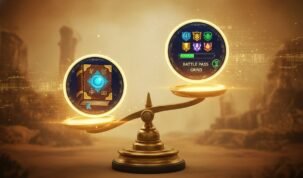
Choosing games with extensive accessibility features often involves certain trade-offs. First, what you sacrifice might be graphical fidelity or highly customisable aesthetics, as some accessibility modes simplify visuals to enhance clarity. For instance, enabling high contrast or colourblind settings can reduce the richness of textures or effects that contribute to immersion. Similarly, turning on large UI elements may obstruct parts of the screen, impacting spatial awareness in gameplay.
Second, hidden costs include possible longer learning curves when new assistive features alter standard gameplay mechanics. Features like automated targeting, simplified controls, or cognitive aids can change the pacing or challenge of the game, which may not appeal to all players. This can lead to feelings of being ‘handicapped’ or disconnected from the traditional MMORPG experience.
Third, prioritising accessibility sometimes means selecting less mainstream titles, which may have smaller player bases or limited content updates. These games might lack the extensive social ecosystems or in-depth expansions common to popular MMORPGs, potentially limiting long-term engagement or community support. Additionally, niche accessibility-focused games might have inconsistent polish or fewer quality-of-life features unrelated to accessibility.
Finally, some accessibility settings may conflict with competitive fairness or multiplayer balance, restricting their use in certain game modes. This can limit the accessibility options available during high-stakes or ranked play, forcing a compromise between inclusivity and competitive integrity.
Balancing these factors is essential to find a game that feels inclusive without compromising enjoyment.
When Not to Prioritise Accessibility Features in MMORPGs
This approach is not for you if your primary interest lies in competitive PvP where accessibility features might be limited or disabled to maintain game balance. Many PvP environments restrict or ban features such as aim assistance, auto-targeting, or simplified control schemes, which can exclude players relying on these options. In such cases, focusing heavily on accessibility features may lead to frustration or exclusion.
It also fails when the game’s core design inherently excludes certain disabilities, such as requiring rapid reflexes without any input alternatives or relying heavily on precise visual cues with no substitute modes. Games that demand extremely fast button inputs or complex combinations without remapping options might not be suitable for players with motor impairments.
Moreover, if the game’s narrative or mechanics depend on sensory experiences that cannot be adapted-such as sound-based puzzles with no visual equivalents-players with sensory impairments may find themselves at a disadvantage. In these cases, focusing solely on accessibility features in the game may lead to disappointment rather than benefit.
Finally, if your primary enjoyment comes from the social or role-playing aspects of a game that lacks a strong accessibility framework, it may be better to prioritise community engagement or content variety over accessibility features alone, particularly if the player base is known for inclusivity and support.
How to Choose Between Accessibility Features in MMORPGs
When deciding which accessibility features to prioritise, consider your specific needs: physical, sensory, or cognitive. Input remapping is vital for players with motor challenges, while visual adjustments and text-to-speech support aid those with sensory impairments. Look for games that combine multiple features rather than offering isolated solutions. Equally important is ongoing developer commitment-games that frequently update accessibility options tend to provide a better long-term experience.
Also, consider how accessibility features integrate with core gameplay. Features that feel seamless and optional rather than intrusive often deliver a more balanced experience. For example, scalable UI elements that can be toggled on or off allow players to tailor their experience without compromising game aesthetics.
Finally, weigh trade-offs carefully; the most accessible game is not necessarily the most enjoyable if other aspects fall short. Prioritise games that offer a strong community, content depth, and enjoyable mechanics alongside accessibility to ensure a fulfilling experience.
This content is based on publicly available information, general industry patterns, and editorial analysis. It is intended for informational purposes and does not replace professional or local advice.
FAQ
What key accessibility features should I prioritise when choosing an MMORPG?
Focus on input remapping, adjustable difficulty or assist modes, screen reader support, and active feature updates to ensure the game matches your specific needs.